
Graphic Design Portfolio Tips: Creating a Professional Graphic Design Portfolio

Building a graphic design portfolio can feel overwhelming. But guess what? It doesn’t have to be! I’m here to guide you through the process with simple, practical steps. Whether you’re just starting out or looking to refresh your portfolio, these tips will help you showcase your skills and attract the right clients.
Why Your Graphic Design Portfolio Matters
Your portfolio is your visual resume. It tells your story without words. When clients or employers see your work, they want to know what you can do for them. A strong portfolio shows your style, versatility, and professionalism. It’s your chance to make a great first impression.
Think of it this way: your portfolio is your personal brand in action. It should reflect who you are as a designer and what you stand for. So, don’t just throw in every project you’ve ever done. Be selective and strategic.
Essential Graphic Design Portfolio Tips to Stand Out
Ready to make your portfolio shine? Here are some key tips that will help you create a standout collection of work:
1. Choose Your Best Work Only
Quality beats quantity every time. Pick projects that highlight your strengths and creativity. If you’re targeting small businesses or individuals needing web design, branding, or graphic design, include examples that speak directly to those needs.
2. Show Variety and Range
Clients want to see that you can handle different styles and challenges. Include a mix of branding, web design, print, and digital projects. This shows you’re adaptable and skilled across mediums.
3. Tell the Story Behind Each Project
Don’t just show the final design. Explain your process, the problem you solved, and the results. This adds depth and shows your strategic thinking.
4. Keep It Clean and Easy to Navigate
Your portfolio itself is a design project. Use a simple layout, clear headings, and easy navigation. Avoid clutter and distractions.
5. Update Regularly
Design trends change, and so should your portfolio. Keep it fresh by adding new work and removing outdated pieces.
6. Include Contact Information and Social Links
Make it easy for potential clients to reach you. Include your email, phone number, and links to your social media or professional profiles.
How to Organise Your Portfolio for Maximum Impact
Organisation is key to making your portfolio user-friendly and impressive. Here’s how I recommend structuring it:
Start with a Strong Introduction
Write a brief bio that highlights your skills, experience, and what you offer. Keep it friendly and approachable.
Group Projects by Category
Divide your work into sections like branding, web design, print, etc. This helps viewers find what interests them quickly.
Use High-Quality Images
Always use clear, high-resolution images of your work. Blurry or pixelated images can hurt your credibility.
Add Case Studies
For your best projects, create detailed case studies. Include the client’s brief, your approach, challenges, and the final outcome.
Show Your Personality
Add a personal touch with your design style, colours, or a unique portfolio name. This makes you memorable.
Tools and Platforms to Build Your Portfolio
You don’t need to be a coding expert to create a stunning portfolio. Here are some popular tools and platforms that make it easy:
Website Builders: Wix, Squarespace, and WordPress offer user-friendly templates tailored for portfolios.
Design-Specific Platforms: Behance and Dribbble are great for sharing your work with the design community.
PDF Portfolios: Sometimes a downloadable PDF is handy for sending directly to clients or interviews.
Choose a platform that fits your style and technical comfort level. Remember, your portfolio should load quickly and look great on all devices.

Making Your Portfolio Work for You
Once your portfolio is ready, it’s time to put it to work. Here’s how to get the most out of it:
Share It Everywhere
Add your portfolio link to your email signature, social media profiles, and business cards. The more people see it, the better.
Ask for Feedback
Get opinions from fellow designers or trusted clients. Fresh eyes can spot areas for improvement.
Tailor It for Each Opportunity
If you’re applying for a specific job or pitching a client, customise your portfolio to highlight relevant projects.
Keep Learning and Growing
Use your portfolio as a motivation to keep improving your skills and adding new work.
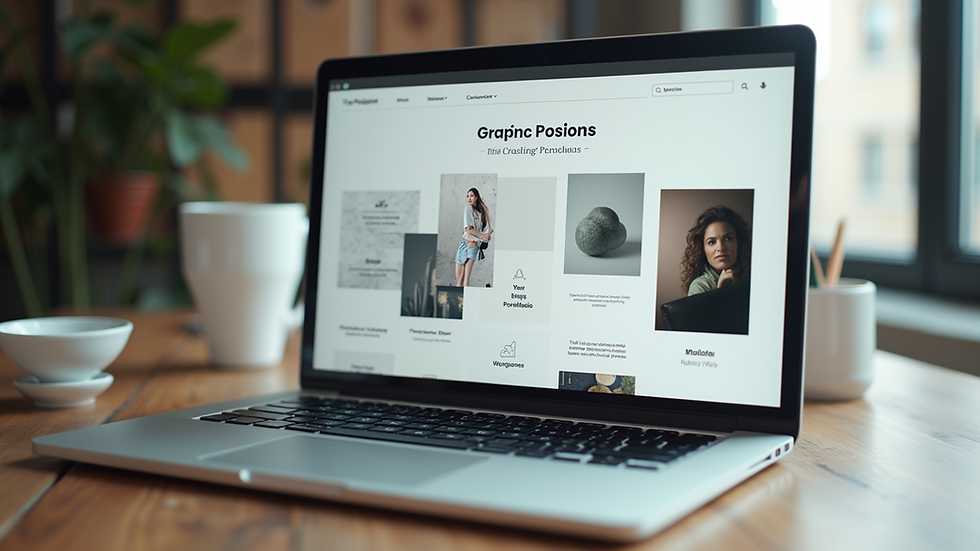
If you want to see an example of a professional graphic design portfolio, check out Clairilla’s site. It’s a great model for how to present your work clearly and attractively.
Your Next Step: Start Building Today!
Don’t wait for the perfect moment to start your portfolio. Grab your best work, pick a platform, and begin! Remember, your portfolio is a living document. It will grow and evolve with you.
Creating a professional graphic design portfolio is your ticket to landing exciting projects and clients. So, dive in, have fun, and show the world what you can do!
If you want to learn more about building your brand and online presence, keep exploring and experimenting. Your future clients are waiting to see your amazing work!


Comments