
Affordable Strategies for Web Design in the UK: Budget Web Design Tips You’ll Love

Creating a website that looks professional and works well doesn’t have to drain your wallet. If you’re looking to build or refresh your online presence without breaking the bank, you’re in the right place! I’m here to share some budget web design tips that will help you get a stunning site while keeping costs low. Ready to dive in? Let’s go!
Why Budget Web Design Tips Matter
When you’re starting out or running a small business, every penny counts. You want a website that reflects your brand and attracts customers, but you might not have a huge budget to throw at it. That’s where smart planning and clever strategies come in.
By focusing on what really matters and avoiding unnecessary expenses, you can create a site that looks great and functions smoothly. Plus, you’ll have more money left over for marketing, product development, or whatever else your business needs.
Here are some key reasons why budget web design tips are essential:
Save money without sacrificing quality
Get your site up and running faster
Avoid costly redesigns down the line
Learn how to maintain your site yourself
With these tips, you’ll feel confident about your web design journey. And remember, affordable doesn’t mean cheap or low-quality!

Top Budget Web Design Tips to Keep Costs Low
Let’s get practical! Here are some of my favourite budget web design tips that you can start using today:
1. Use Website Builders or CMS Platforms
Platforms like WordPress, Wix, or Squarespace offer affordable ways to build your site. They come with templates and drag-and-drop tools that make design easy—even if you’re not tech-savvy.
Choose a template that fits your style
Customize colours, fonts, and images
Add essential pages like Home, About, Services, and Contact
This approach saves you money on hiring a developer for basic setup. Plus, you can update your site anytime without extra costs.
2. Keep Your Design Simple and Clean
A cluttered website can confuse visitors and slow down your site. Stick to a clean layout with plenty of white space. Use a limited colour palette and easy-to-read fonts.
Simple designs are not only cheaper to create but also load faster and look more professional. Remember, less is often more!
3. Use Free or Low-Cost Stock Images
High-quality images make a big difference, but professional photos can be expensive. Instead, use free stock photo sites like Unsplash or Pexels. You’ll find beautiful images that fit your brand without spending a penny.
If you want something unique, consider taking your own photos or hiring a local photographer for a small session.
4. Prioritise Mobile Responsiveness
More people browse on their phones than ever before. Make sure your website looks great and works well on all devices. Most website builders include mobile-friendly templates, so this shouldn’t add extra cost.
Mobile responsiveness improves user experience and helps your site rank better on Google.
5. DIY Content Creation
Writing your own content saves money and ensures your message sounds authentic. Focus on clear, concise language that speaks directly to your audience. Use headings, bullet points, and short paragraphs to keep readers engaged.
If writing isn’t your strength, consider hiring a freelance copywriter for key pages only.
What is a reasonable price for website design?
You might be wondering, “How much should I expect to pay for a website?” The answer varies depending on your needs, but here’s a rough guide to help you set your budget:
Basic website with a template: £200 - £800
Custom design with some features: £800 - £2,500
Complex sites with e-commerce or advanced functions: £2,500+
Keep in mind, ongoing costs like hosting, domain registration, and maintenance are extra. It’s smart to get quotes from a few designers or agencies to compare prices and services.
If you want to save even more, consider affordable web design services that specialise in helping small businesses get online without overspending.

How to Choose the Right Affordable Web Design Service
Finding the right web designer or agency can feel overwhelming. Here’s how to pick one that fits your budget and goals:
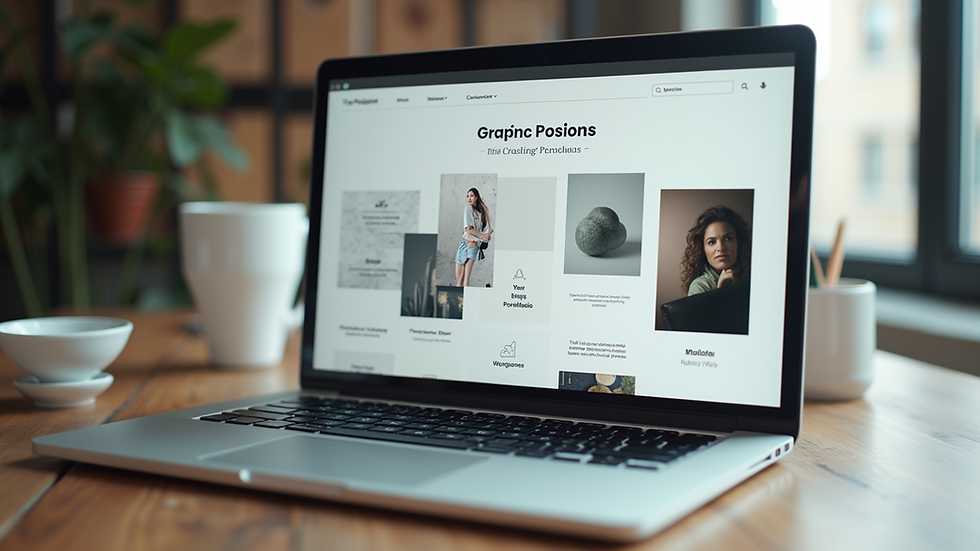
1. Check Their Portfolio
Look at examples of their previous work. Do their designs match your style? Are their websites easy to navigate and visually appealing?
2. Read Reviews and Testimonials
What do past clients say? Positive feedback about communication, deadlines, and support is a good sign.
3. Ask About Packages and Pricing
Some designers offer fixed-price packages for small business websites. This can help you avoid surprise costs.
4. Clarify What’s Included
Make sure you understand what you’re paying for. Will they provide hosting? Will you get training to update your site? What about SEO basics?
5. Communication is Key
Choose someone who listens to your ideas and explains things clearly. You want a partner, not just a service provider.
DIY vs Professional Help: What’s Best for Your Budget?
You might be tempted to build your website entirely on your own. That’s a great way to save money, but it’s not for everyone. Here’s a quick comparison:
| Aspect | DIY Website | Professional Help |
|----------------------|------------------------------------|------------------------------------|
| Cost | Low (mostly your time) | Higher upfront cost |
| Time | Can take weeks or months | Faster turnaround |
| Quality | Depends on your skills | Usually higher and more polished |
| Customisation | Limited by platform and skills | Tailored to your exact needs |
| Support | Mostly self-help and forums | Direct support and updates |
If you have the time and patience, DIY can work well. But if you want a professional look and less hassle, investing in affordable web design services might be the smarter choice.
Keep Your Website Fresh Without Breaking the Bank
Once your website is live, you’ll want to keep it updated and relevant. Here are some budget-friendly ways to maintain your site:
Regularly update content: Add blog posts, news, or new products
Use free tools: Google Analytics for tracking visitors, Canva for creating graphics
Schedule backups: Many hosting providers offer free or low-cost backups
Learn basic SEO: Simple tweaks can boost your search rankings without extra cost
Staying on top of your website keeps visitors coming back and helps your business grow.
I hope these affordable strategies for web design in the UK inspire you to create a website that fits your budget and your vision. Remember, a great website is within your reach—you just need the right tips and a bit of creativity. Ready to get started? Your online presence awaits!

Comments